Governance & Audit
Audit logs, data lineage, and the records that let you reproduce an analysis.
On this page
The evidence trail behind every number: who touched a dataset, what transformed it, and whether an analysis can be reproduced from the original data. Built for the moment a reviewer, funder or regulator asks you to show your work.
Audit trail#
- Tamper-evident audit log: each entry is hash-chained to the one before it and records who did what, and when
- Configurable retention window, with a floor that cannot be lowered while a compliance mode is active
- Export the log as CSV or JSON for an auditor, or purge outside the retention window
- Usage reporting across the organization
Lineage & reproducibility#
- Dataset lineage: a cleaned or derived dataset records the dataset it came from, the operation applied and a content hash
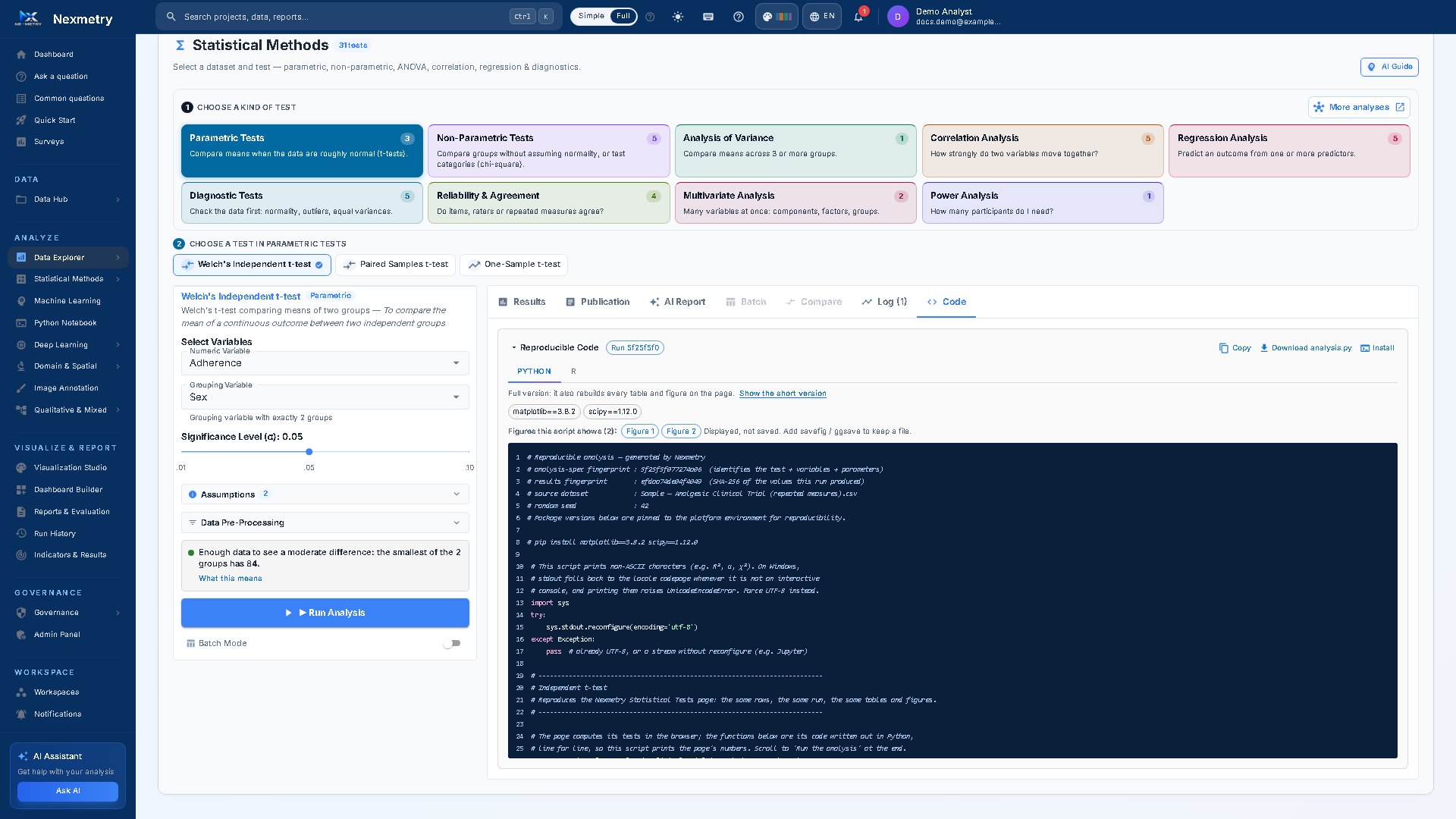
- Run records: saved analysis runs store the dataset hash, the parameters, a hash of the results and the generated Python and R code
- Reproducible code shows the figures too: every generated Python and R script draws the same figures the page renders (training curves, confusion matrix, ROC / PR and calibration, predicted-vs-actual and residual diagnostics, coefficient forest plots, group means with 95% CI, box plots, scatter with fitted line, interaction plots, spatial and network views) and displays them — inline in the Python Notebook or Jupyter, in a window when run as a script — without writing files; the Code panel lists them under "Figures this script shows", and one added savefig / ggsave line keeps any of them
- Saved analyses: name any run with Save analysis and reopen it later — from Saved analyses in the studio or Open in Run History — with the results, settings and code exactly as recorded, without re-running
- Version history for reports, with compare and restore
Access & ethics#
- See your own effective permissions, and check whether you hold a specific permission
- Record ethics / IRB approvals against a project, with approval status tracked alongside the data
- Configure institutional SSO (OIDC; SAML on request) for the organization on the Enterprise plan
Something missing?
Have a question these docs don’t answer? Email support@nexmetry.org and we’ll add a guide.