Simple and Full view
Two views of the same platform: Simple view for people new to statistics, Full view for analysts. Same methods, same numbers.
On this page
Nexmetry has two views of the same platform. Both run the same validated methods and give the same numbers; they differ only in how much you see at once.
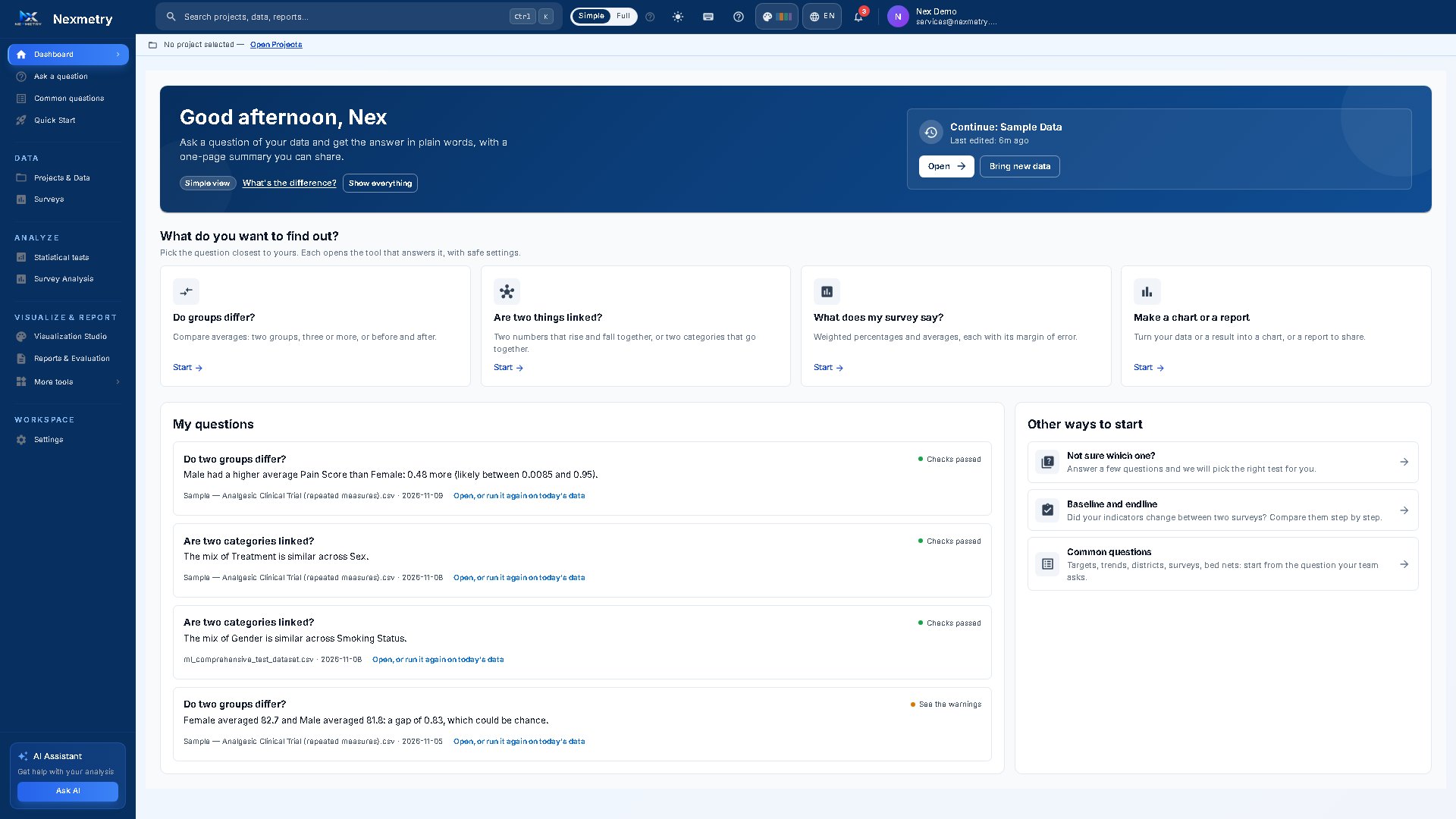
Simple view: for people new to statistics#
For programme officers, managers, students and anyone who wants answers without choosing a statistical test by name.
- A shorter sidebar with the most-used tools. Every other page is one click away under More tools.
- Each studio opens with a short guide: what it is for, three good first questions, a tip and, where the studio has one, a link to try it on sample data.
- Statistical tests and Advanced tests start from questions in plain words, such as "Do two groups differ?", and open the matching tested method.
- Statistical test results open with the answer in plain words, with what it means and what it does not mean.
Full view: for analysts and researchers#
For analysts, statisticians, epidemiologists and data scientists who want every method and every option.
- Every studio in the sidebar, and every method in each catalogue.
- All settings, assumption checks, diagnostics and effect sizes, and the Python and R code for each analysis.
- Every new account starts in Full view, so the full capability is visible from the first visit.
Switching between them#
- Use the switch at the topClick Simple or Full in the top bar. On a phone, open the menu and choose the view there.
- Or answer the bannerUntil you choose, a banner at the top of the dashboard offers Simple view. Choose Switch to Simple or Keep Full, and the banner goes away.
- Your choice follows youThe view is saved to your account, so it is the same on every device you sign in on. Change it whenever you like.
Something missing?
Have a question these docs don’t answer? Email support@nexmetry.org and we’ll add a guide.