Projects & Workspaces
Organize datasets, analyses, and team members by project.
A Project groups datasets, analyses, ML models, dashboards, and reports together. Workspaces contain one or more projects and define the team boundary.
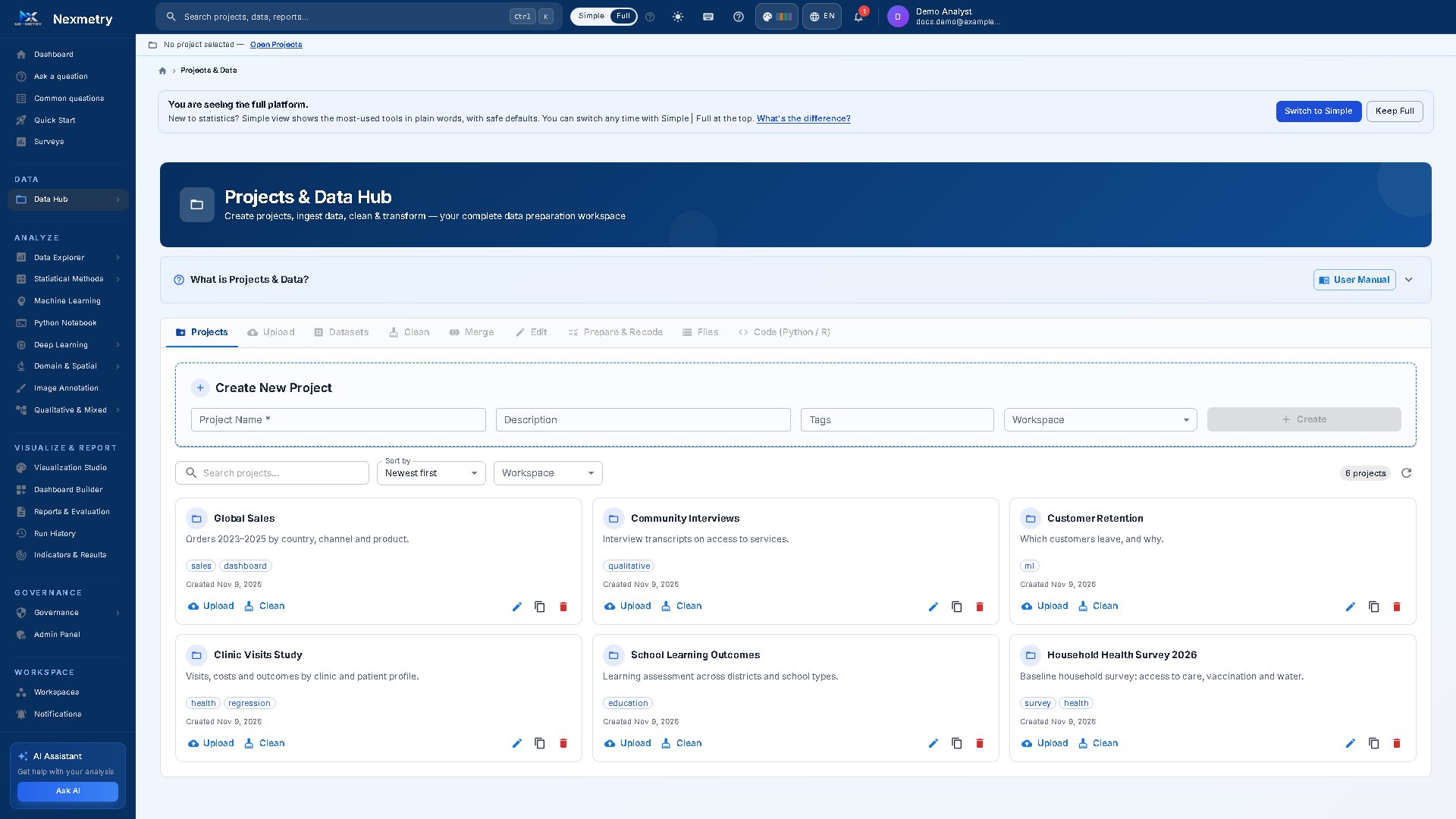
Creating a project#
- Open ProjectsFrom the sidebar, open Data Hub → Projects & Data. The "Create New Project" card is always visible on the Projects tab — fill it in and click Create.
- Set metadataName, description, tags, and the workspace it belongs to.
- Add your dataUse the Upload tab to add files, then Datasets, Clean, Merge, Edit, Recode, and Files to prepare them.
Something missing?
Have a question these docs don’t answer? Email support@nexmetry.org and we’ll add a guide.